


GO Launcher S – 3D Theme, Wall
4.62.61K Reviews
App Specs
- Version
- 1.21
- Updated On
- License
- Free
- Downloads
- 5,000,000+
- Developer
- go live llc
- Categories
- Personalization
- Platform
- Android
Screenshots
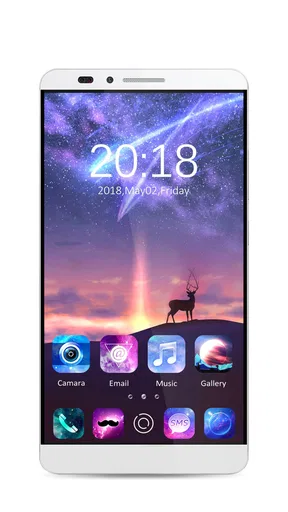
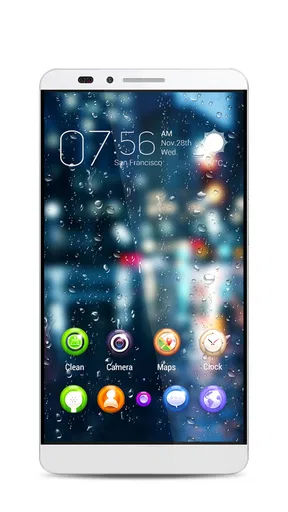
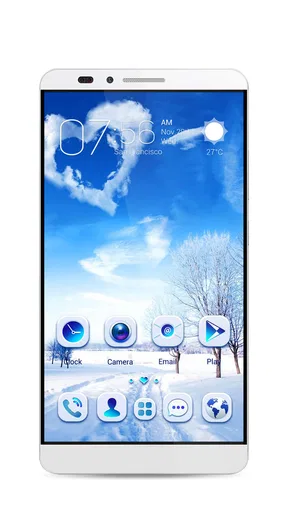
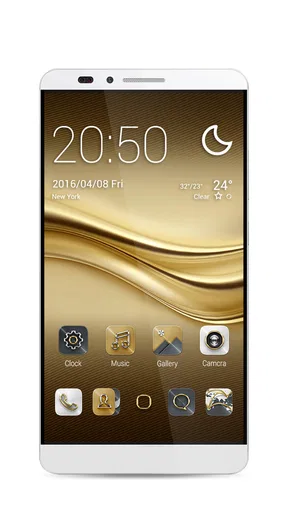
 Analysis by AppCompare
I tend to judge a launcher by a simple question: does it make the phone feel more personal without turning everyday tasks into a project? GO Launcher S – 3D Theme, Wall is aimed at people who enjoy changing the look and feel of an Android home screen, especially through themes, wallpapers, icons, and visual effects. I’d consider it when the standard layout feels stale and I want room to experiment, but not if I’m looking for a purely invisible utility that leaves the interface untouched.
Choosing a launcher that suits your habits
A launcher changes the part of Android you interact with most: the home screen and the way you reach your apps. That makes personal taste only one part of the decision. I also think about whether I’m comfortable adopting a different layout, whether I want to spend time tuning it, and whether visual flair matters more to me than keeping everything familiar.
This app is free to install, with optional in-app purchases ranging from $0.99 to $94.99 per item. It is a personalization app from go live llc, rated for Everyone, and its current version is 1.21. It has a 4.6 average from around 164,000 ratings, with over 5 million installs. Those figures suggest it has found a sizable audience, but they don’t tell me whether its style will suit my own phone; that comes down to trying the interface and deciding how much customization I actually want.
One practical point is compatibility: the listed minimum operating system is Android 7.0, so I’d check my device’s software before planning a setup around it. The app was released on September 28, 2018, and its established presence makes it a recognizable choice in the launcher space. Still, a long-running app is not automatically the right fit: my main test would be whether the controls feel clear and whether the finished home screen remains easy to use.
First Impressions and Setup
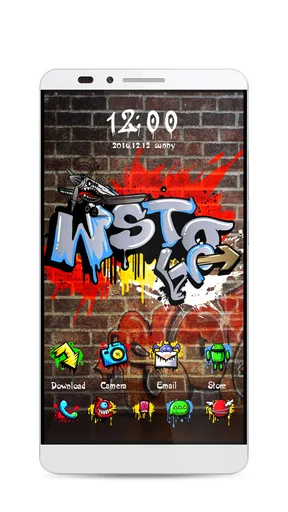
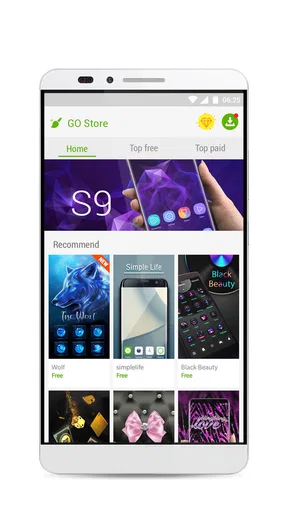
Getting started with GO Launcher S is a breeze. After a quick download from the Play Store, you’re welcomed by a simple setup process. The app immediately offers a range of themes, and trust me, there’s something for everyone. Whether you’re into minimalistic designs or vibrant, eye-popping visuals, you’ll find yourself scrolling through options like a kid in a candy store.
The interface is intuitive, making it easy to navigate through the various customization features. You’ll find everything neatly organized, which is a big plus if you’re not tech-savvy.
Customization Galore
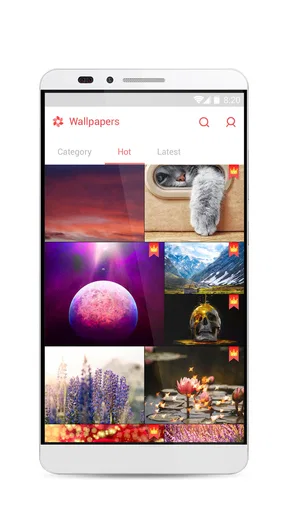
Now, onto the fun part. The customization options are seriously impressive. You can change everything from wallpaper to icons, and even the transition effects between screens. The 3D effects are a standout feature, adding a touch of sophistication and modernity to your device. It’s like giving your phone a mini-makeover.
Worth Reading Before You Choose

EA SPORTS FC Mobile 26 Is a Bigger Football Game, but It Takes Time

Flipboard Shows What News Apps Must Do Beyond the Feed

Switching to Android Auto Means Rethinking Your Driving Routine

Google Calendar Makes a Crowded Week Easier to Manage

Ludo King Makes the Most of the Minutes Between Plans

Baby Panda World Brings Quick Play to Modern Phones, but Its Game Library Feels Busy
One feature I found particularly cool is the ability to create your own themes. You can mix and match different elements to create something that’s uniquely yours. It’s a great way to express your personality and make your device feel more personal.
Putting a theme together for daily use
The most useful way to approach that freedom, in my view, is to start with one small change rather than rebuilding the entire screen in one sitting. I’d pick a wallpaper I genuinely like, then adjust icons and transitions only if they help the overall look. This makes it easier to tell which choices improve the phone and which merely look striking in a preview.
There’s also a practical reason to keep a setup restrained: a home screen is a tool, not just a canvas. A theme that makes frequently used apps harder to recognize can slow down routine tasks. I’d keep the apps I reach for most in familiar positions, then use the visual options around them. That gives the phone a distinct look without asking me to relearn basic muscle memory every time I unlock it.
A realistic use case is refreshing a phone before a busy week. I might choose a calmer wallpaper, make the most-used apps easy to spot, and avoid dramatic transitions that distract when I’m checking a message or opening a calendar. Later, when I have time to browse, I can try a more expressive theme. This staged approach is less frustrating than selecting a complete look quickly and then discovering that it gets in the way.
Performance and Usability
When it comes to performance, GO Launcher S holds its ground. The app runs smoothly, and I didn’t notice any lag or crashes during my testing. It’s optimized well, ensuring that even older devices can handle the 3D effects without a hitch.
Usability-wise, the app is designed to be user-friendly. The drag-and-drop feature makes it easy to customize your home screen layout, and the app manager is a nifty tool for keeping everything organized. Plus, the app gives you some handy widgets like weather updates and a task manager, which are always nice to have.
How it compares with simpler options
Compared with sticking to a phone’s built-in launcher, this is the more hands-on route. A default home screen is usually the simpler choice for someone who wants the same familiar arrangement with little ongoing adjustment. GO Launcher S makes more sense when changing icons, wallpapers, and screen effects is part of the appeal. The trade-off is that extra choice can mean extra setup, and the visual treatment may not be worth it to someone who prefers a clean, understated interface.
Other kinds of personalization tools may focus narrowly on wallpaper or icons rather than changing the broader home-screen experience. That can be a better fit if I only want one cosmetic change and don’t want to switch launchers. Here, the draw is having several elements to shape together. I’d compare the result by asking whether the theme feels cohesive and whether navigation still comes naturally, not by counting customization options.
For a first experiment, I’d note the current home-screen arrangement before moving things around. Keeping a mental or written record of where important shortcuts sit makes it easier to restore a familiar layout if a new design proves inconvenient. I’d also test a theme for ordinary tasks—finding a contact, opening a frequently used app, and returning to the home screen—before deciding it is a keeper. That quick routine reveals usability problems a static preview cannot.
Extras and Unique Features
Aside from the usual customization options, GO Launcher S offers a few extras that are worth mentioning. The app locker feature is great for keeping your private apps secure. There’s also a quick search function that lets you find apps and contacts in a jiffy.
For those who love to keep things fresh, the online theme store is constantly updated with new content. Whether you’re in the mood for a seasonal theme or something more abstract, you’ll always find something new to try out.
What to weigh before settling in
The app’s extra tools may be useful if I want customization and quick access in one place, but I would treat privacy and organization features as reasons to inspect the settings rather than assume they work exactly like standalone tools. If protecting sensitive information is my main concern, I’d compare the launcher’s app locker with the security options I already trust. Likewise, a search function is most helpful when it fits the way I normally look for people and apps; it does not need to replace other search habits if those already work well.
Theme browsing can also become its own time sink. The abundance of choices is part of the fun, but repeatedly switching styles can leave the home screen inconsistent or make it harder to settle on a usable arrangement. My advice is to decide what I want to improve first—color, icons, or the overall feel—and stop once that goal is met. That keeps customization enjoyable rather than turning it into a constant maintenance task.
One question people often have is whether they need to pay to try it. The app is free to install, while optional purchases are available; I’d explore the basic experience first and only consider a purchase if a specific extra matters to me. Another sensible question is who should avoid it: anyone who strongly prefers the standard Android layout, dislikes visual effects, or does not want to spend time arranging a home screen will probably be happier with a simpler option.
My Final Thoughts
Overall, GO Launcher S – 3D Theme, Wall is a fantastic app for anyone looking to personalize their Android device. It’s packed with features that allow you to transform your home screen into something truly unique. While it might feel a bit overwhelming at first due to the sheer number of options, once you get the hang of it, you’ll likely find yourself spending more time tweaking your setup than you might care to admit.
If you’re someone who loves customization and wants their device to stand out, then GO Launcher S is definitely worth checking out. Just be prepared to get lost in a world of endless possibilities!
My recommendation is to try it if you enjoy shaping the look of your phone and are willing to spend a little time making the layout practical as well as attractive. Start with a few changes, keep important shortcuts easy to reach, and judge the result during normal use rather than by appearance alone. If you want a phone that stays familiar with almost no tinkering, keep the built-in launcher; if making the home screen your own is part of the fun, this app is the more appealing choice.
Pros
- Highly customizable with various themes.
- Smooth and intuitive user interface.
- Includes useful widgets for quick access.
- Offers 3D effects that enhance visuals.
- Regular updates with new features.
Cons
- Contains ads that can be intrusive.
- Some features require in-app purchases.
- Can be resource-intensive on older devices.
- Occasional glitches with certain themes.
- Limited free theme options available.
FAQs for GO Launcher S – 3D Theme, Wall
What features does GO Launcher S offer?
GO Launcher S provides a highly customizable user interface with 3D transition effects and a wide array of themes and wallpapers. It offers app management tools, a smart widget, and a hide app feature for privacy. Users can also enjoy smooth and fast performance with various gesture controls.
Is GO Launcher S free to use?
Yes, GO Launcher S is free to download and use. However, it includes in-app purchases that unlock additional features and themes. While the free version offers a lot of customization, the premium version provides an ad-free experience and access to exclusive content.
Does GO Launcher S affect battery life?
Like many launcher apps, GO Launcher S may have an impact on battery life due to its animations and additional features. However, it is optimized for performance, and users can adjust settings to minimize battery consumption, such as reducing animations or limiting background processes.
Is GO Launcher S safe for my device?
GO Launcher S is generally considered safe, but users should always download it from official app stores like Google Play or the App Store to ensure security. Be mindful of the permissions the app requests and avoid downloading from unverified sources to protect your device from potential malware.
Can I use GO Launcher S on all Android devices?
GO Launcher S is compatible with most Android devices running Android 5.0 and above. However, performance may vary depending on your device's specifications. It is always recommended to check the app's compatibility with your device before downloading to ensure smooth functionality.


